Clover POS Review 2026: Features & Pricing
Discover why Clover POS leads in 2026 with top-tier inventory, CRM tools, and restaurant features for small businesses.
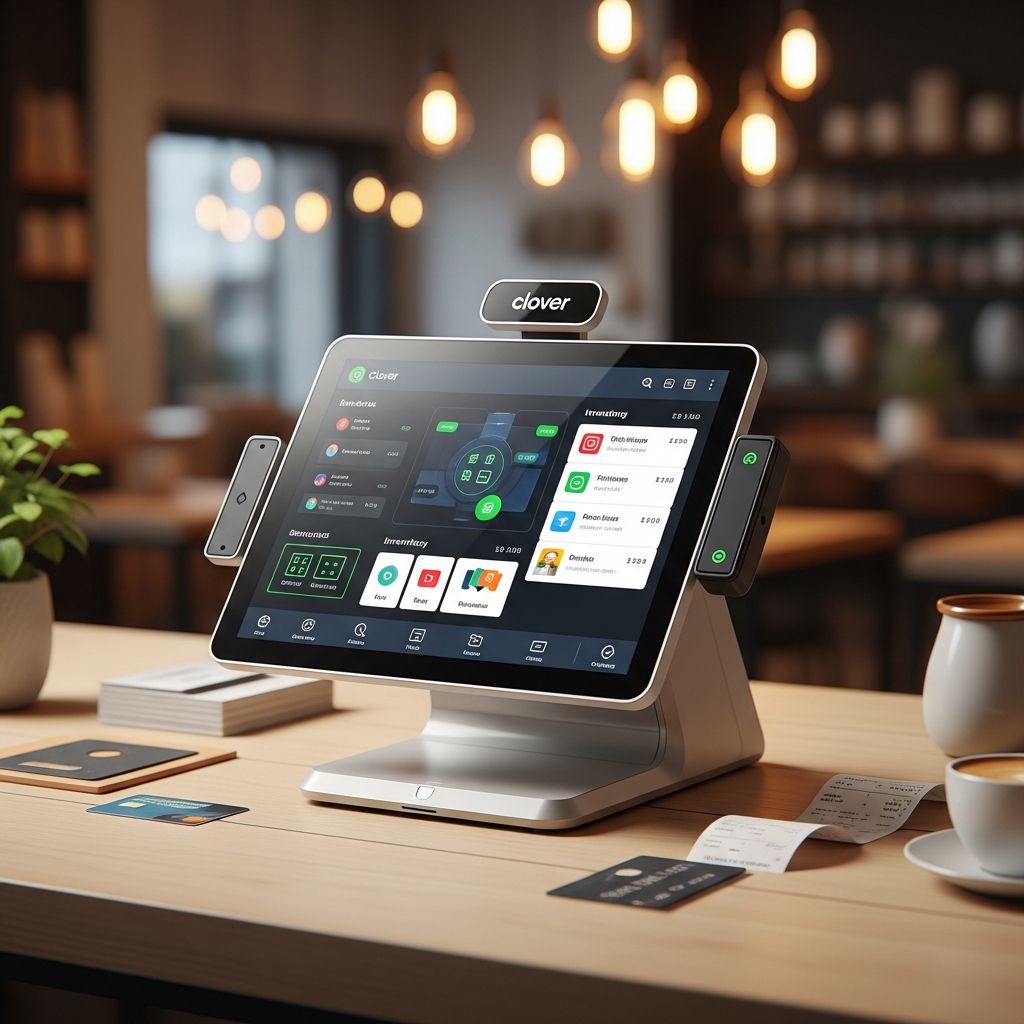
Clover POS has solidified its position as a leading point-of-sale solution for small to medium-sized businesses in 2026. Offering a blend of sleek hardware, intuitive software, and extensive app integrations, Clover caters to retail shops, restaurants, and service providers alike. This review dives deep into its capabilities, drawing from hands-on testing and industry analysis to help you decide if it’s the right fit for your operations.
Why Choose Clover POS in 2026?
In a crowded POS market, Clover stands out for its balance of affordability and functionality. Businesses appreciate its low entry barriers, with no mandatory long-term contracts and flexible hardware bundles. Whether you’re a boutique retailer tracking inventory or a cafe managing tables and orders, Clover’s modular design scales with your needs. Recent updates have enhanced its cloud-based reporting and mobile payment acceptance, making it more competitive against rivals like Square and Lightspeed.
Key strengths include automated inventory tracking via its Shopventory app, built-in customer loyalty tools, and seamless QuickBooks integration. For restaurants, table management and online ordering shine without extra commissions. However, some users note occasional app integration glitches, which we’ll explore later.
Core Features Breakdown
Clover’s software unifies payments, inventory, and customer management in one dashboard. Setup is straightforward, often completed in under an hour, even for first-timers.
Inventory Management Excellence
Clover’s inventory tools are among the best for small businesses. The platform supports bulk item edits, real-time stock alerts, and expiration date tracking—ideal for food services. Businesses can calculate product costs and profit margins directly, aiding pricing decisions. Unlike basic systems, Clover automates low-stock notifications and integrates with suppliers for reorder automation.
- Track variants like sizes/colors for retail
- Monitor perishable goods with expiration alerts
- Generate sales trend reports for demand forecasting
- Composite ordering for bundled items
Customer Relationship Tools
Built-in CRM sets Clover apart—no add-ons required. It auto-builds customer profiles from transactions, enabling targeted promotions. Send personalized offers, loyalty rewards, or feedback requests via email/SMS. Gift card management is robust, with 70+ templates and mobile redemption.
| Feature | Benefits |
|---|---|
| Automated Profiles | Insights into buying habits |
| Promotional Messaging | Boost repeat visits |
| Gift Cards | Easy digital/physical issuance |
| Loyalty Programs | Points-based rewards |
Restaurant and Retail Specifics
For hospitality, Clover excels in floor plan customization, table status tracking, and course management. Retailers benefit from modifier-heavy menus for custom orders. Online ordering integrates without setup fees, syncing directly to the POS.
Hardware Options Overview
Clover offers versatile hardware bundles starting at compact countertop units.
- Mini: 8-inch touchscreen, contactless reader, receipt printer—perfect for small spaces.
- Flex: Handheld for mobile payments, ideal for markets or events.
- Station: Full kiosk with cash drawer, customer-facing display for high-volume spots.
- Station Duo/Solo: Dual screens for assisted checkouts.
All hardware is durable, with EMV/chip/NFC support. Prices range from $500-$2,000+, but financing options ease upfront costs.
Pricing and Plans Explained
Clover uses subscription-based software atop processing fees. No setup or monthly minimums for most plans.
| Plan | Monthly Cost | Key Features | Processing Rates |
|---|---|---|---|
| Register | $14.95 | Basic sales/inventory | 2.6% + 10¢ in-person |
| Retail | $44.85 | Advanced inventory, CRM | 2.3% + 10¢ (restaurants) |
| Restaurant | $64.85 | Table mgmt, online orders | Custom negotiable |
| Enterprise | Custom | Multi-location, API access | Volume discounts |
Payments average 2.3%-2.6% + 10¢ per transaction. Add-ons like apps ($5-$50/mo) expand functionality via the 450+ App Market.
User Experience and Ease of Use
Testers praise Clover’s intuitive interface—drag-and-drop menus, customizable dashboards. Real-time reporting covers sales, refunds, and trends, syncing with accounting tools. 24/7 support via phone/chat resolves issues quickly.
During testing, Clover’s floor plan editor allowed seamless table resizing, outperforming basic competitors.
Drawbacks: Some integrations falter, and advanced reporting may require paid apps.
Pros and Cons Summary
Pros
- Feature-packed at competitive prices
- Excellent inventory and CRM
- User-friendly for all skill levels
- Industry-specific plans
- 24/7 support and 90-day trials
Cons
- App integrations occasionally unreliable
- Restaurant features less robust than specialized systems
- Hardware costs add up
- Processing fees higher for keyed transactions
Who Should Use Clover POS?
Ideal for: Retailers needing strong inventory, restaurants with table service, businesses valuing CRM. Avoid if you require deep restaurant analytics or ultra-low fees.
Alternatives: Square (free software), Lightspeed (advanced retail), Toast (restaurant-focused).
FAQ
Is Clover POS free?
No, software starts at $14.95/mo plus processing fees. 90-day hardware trials available.
Does Clover integrate with QuickBooks?
Yes, seamless two-way sync for sales and inventory.
What are Clover’s processing fees?
Typically 2.3%-2.6% + 10¢ in-person; online 3.5% + 10¢.
Can Clover handle online ordering?
Yes, commission-free with direct POS integration.
Is Clover good for restaurants?
Strong for table management and orders, but not the deepest for full-service chains.
References
- Clover POS Review 2026: Everything You Need to Know — Tech.co. 2026-01-15. https://tech.co/pos-system/clover-pos-review
- Clover POS Review 2026 — Business News Daily. 2026-02-20. https://www.businessnewsdaily.com/16068-clover.html
- Clover POS System Review and Pricing — Business.com. 2026-03-10. https://www.business.com/reviews/clover-station/
- Clover POS Review 2026: Features and Pricing — NerdWallet. 2026-04-05. https://www.nerdwallet.com/business/software/reviews/clover-pos
Similar Articles








Read full bio of Sneha Tete