ConceptDraw PROJECT Review
Discover how ConceptDraw PROJECT streamlines project planning, resource allocation, and team collaboration for efficient delivery.
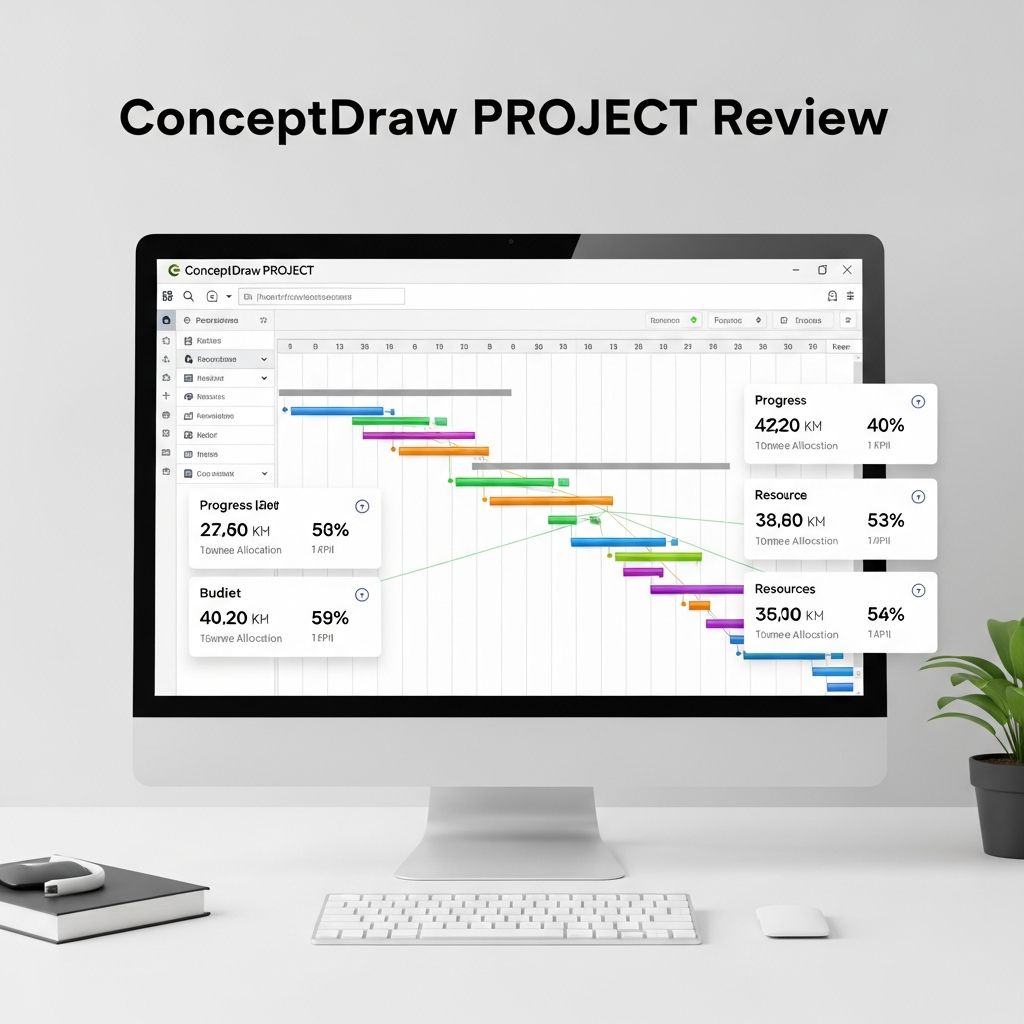
ConceptDraw PROJECT stands out as a robust solution for professionals seeking to organize, track, and execute projects with precision. Designed for both individual contributors and large teams, this software bridges the gap between simple task lists and sophisticated portfolio oversight. Available on Windows and macOS, it integrates seamlessly into diverse workflows, offering tools that adapt to varying project complexities. Whether managing a single initiative or juggling multiple endeavors, users appreciate its balance of power and accessibility.
Core Capabilities for Seamless Project Planning
At its foundation, ConceptDraw PROJECT excels in task structuring and dependency mapping. Users begin by breaking down objectives into actionable items, establishing clear hierarchies and linkages. This approach ensures that every element aligns with overarching goals, minimizing oversights and delays. The software’s intuitive drag-and-drop functionality allows quick adjustments, making it ideal for dynamic environments where plans evolve rapidly.
One standout aspect is the Gantt chart generator. These visual timelines provide an immediate snapshot of timelines, durations, and interdependencies. Teams can spot potential bottlenecks early, adjust schedules proactively, and communicate progress effectively to stakeholders. Unlike basic spreadsheets, the charts here support critical path analysis, helping prioritize efforts on high-impact activities.
Resource Optimization and Allocation Strategies
Effective resource management separates successful projects from chaotic ones. ConceptDraw PROJECT offers a centralized view of personnel, equipment, and budget assignments across all tasks. The resource workload dashboard highlights overloads in real-time, preventing burnout and ensuring balanced distribution. Managers can reallocate effortlessly, viewing impacts instantly on project timelines.
- Track individual workloads with color-coded calendars
- Assign multiple resources to tasks for collaborative efforts
- Forecast costs and compare against budgets dynamically
- Simulate scenarios to test ‘what-if’ changes without disrupting live plans
This granularity empowers leaders to make data-driven decisions, optimizing productivity without micromanagement. Integration with ConceptDraw OFFICE suite further enhances this by linking diagrams and mind maps directly to project elements.
Multi-Project Dashboard: Command Center for Portfolios
For organizations handling concurrent initiatives, the multi-project dashboard proves invaluable. It consolidates data from numerous files into one panoramic interface, displaying key metrics like completion percentages, resource utilization, and milestone achievements. This bird’s-eye view facilitates portfolio-level decisions, such as prioritizing high-risk projects or reallocating scarce resources.
Customization options abound: filter by department, status, or deadline proximity. Visual indicators like progress bars and alerts keep everyone informed. Teams report that this feature alone reduces status meeting times by half, as dashboards serve as self-service updates.
| Feature | Benefit | Use Case |
|---|---|---|
| Real-time Metrics | Instant visibility into all projects | Executive overviews |
| Resource Heatmaps | Spot and resolve overloads | Team lead adjustments |
| Custom Filters | Tailored views per role | Department-specific reporting |
| Export Options | Share with external tools | Stakeholder presentations |
Advanced Reporting and Change Tracking
Reporting in ConceptDraw PROJECT transcends standard tables. Generate mind map reports for brainstorming sessions, tabular summaries for audits, or interactive dashboards for live demos. The change control system logs modifications meticulously, providing audit trails that comply with industry standards. Users can revert alterations or branch plans for testing alternatives.
Visual exports in PDF, HTML, or image formats ensure compatibility across platforms. Automated schedules trigger reports at milestones, keeping communication proactive rather than reactive.
User Experience and Learning Curve
Newcomers find the interface approachable, with contextual tooltips and video tutorials easing onboarding. The ribbon-style menus mirror familiar applications like Microsoft Project, reducing training time. Power users leverage keyboard shortcuts and macros for accelerated workflows.
Cross-platform consistency means Windows and Mac teams collaborate without friction. Cloud syncing, while not native, works via shared drives or third-party integrations. Recent updates have polished performance, handling projects with thousands of tasks smoothly.
Pricing and Deployment Options
ConceptDraw PROJECT operates on a perpetual license model, appealing to budget-conscious buyers avoiding subscriptions. Entry-level editions suit small teams, while Professional unlocks multi-project and advanced reporting. Bundles with MINDMAP or DIAGRAM add value for visual thinkers.
Deployment is straightforward: download, install, and activate. No server setup required for single-user modes, though enterprise versions support networked access. Free trials allow thorough testing before commitment.
Strengths and Potential Drawbacks
Key Strengths
- Versatile for simple to enterprise-scale projects
- Superior visualization tools outperform competitors
- Cost-effective ownership model
- Seamless suite integration
Areas for Improvement
- Limited native mobile access
- Initial feature exploration can overwhelm beginners
- Dependency on desktop for full functionality
Despite these, the pros dominate for desktop-centric teams valuing depth over mobility.
Who Should Choose ConceptDraw PROJECT?
Ideal for creative agencies, engineering firms, construction managers, and IT departments needing visual planning prowess. It’s less suited for remote-first teams prioritizing mobile apps. Consultants praise its quick setup for client projects, while enterprises leverage portfolio oversight.
Real-World Applications and Success Stories
Marketing teams use it to coordinate campaigns, aligning content creation with launch dates. Software developers map sprints via Gantt views, integrating with version control indirectly. Construction pros track material deliveries against builds, flagging delays instantly.
In one case, a mid-sized firm reduced project overruns by 30% after adopting the resource dashboard, reallocating staff efficiently. Another team visualized a product roadmap, securing investor buy-in through dashboard exports.
Integration and Extensibility
Beyond its suite, ConceptDraw PROJECT imports XML and MPP files, easing migrations. Export to Excel aids financial analysis. API access in higher tiers enables custom automations, though scripting knowledge helps.
Future Roadmap and Community Support
Developers at Computer Systems Odessa actively update the tool, incorporating AI-assisted scheduling hints in betas. Forums and email support respond promptly, with solution partners offering training.
Frequently Asked Questions
Is ConceptDraw PROJECT free to try?
Yes, a fully functional trial is available for download, typically lasting 30 days.
Does it support agile methodologies?
While Gantt-focused, users adapt it for sprints via task boards and burndown approximations.
Can I manage projects across Mac and Windows?
Absolutely, file compatibility ensures cross-platform collaboration.
How does it handle large teams?
Scales to hundreds of resources with multi-user read/write via shared files.
What file formats does it export?
PDF, HTML, PNG, Excel, and more for versatile sharing.
Final Verdict
ConceptDraw PROJECT delivers exceptional value for visual project management. Its blend of traditional planning with innovative dashboards positions it as a top contender. Teams ready to invest in desktop power will find it transformative. Score: 8.7/10.
References
- ConceptDraw PROJECT Official Product Page — Computer Systems Odessa. 2026-05-01. https://www.conceptdraw.com/products/project-management-software
- ConceptDraw PROJECT Helpdesk: Reporting Guide — Computer Systems Odessa. 2025-11-15. https://www.conceptdraw.com/helpdesk/how-to-report-on-project-status
- ConceptDraw PROJECT Tutorial Series — Computer Systems Odessa (YouTube). 2024-08-20. https://www.youtube.com/watch?v=5NDHZVzKeHQ
Similar Articles








Read full bio of Sneha Tete