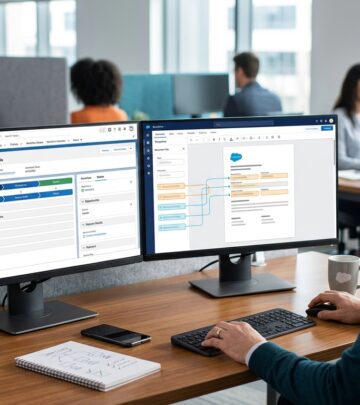
Docparser Review: Automating Data Extraction At Scale
In-depth Docparser review covering features, real-world use cases, pros, cons, and tips for automating document data extraction.
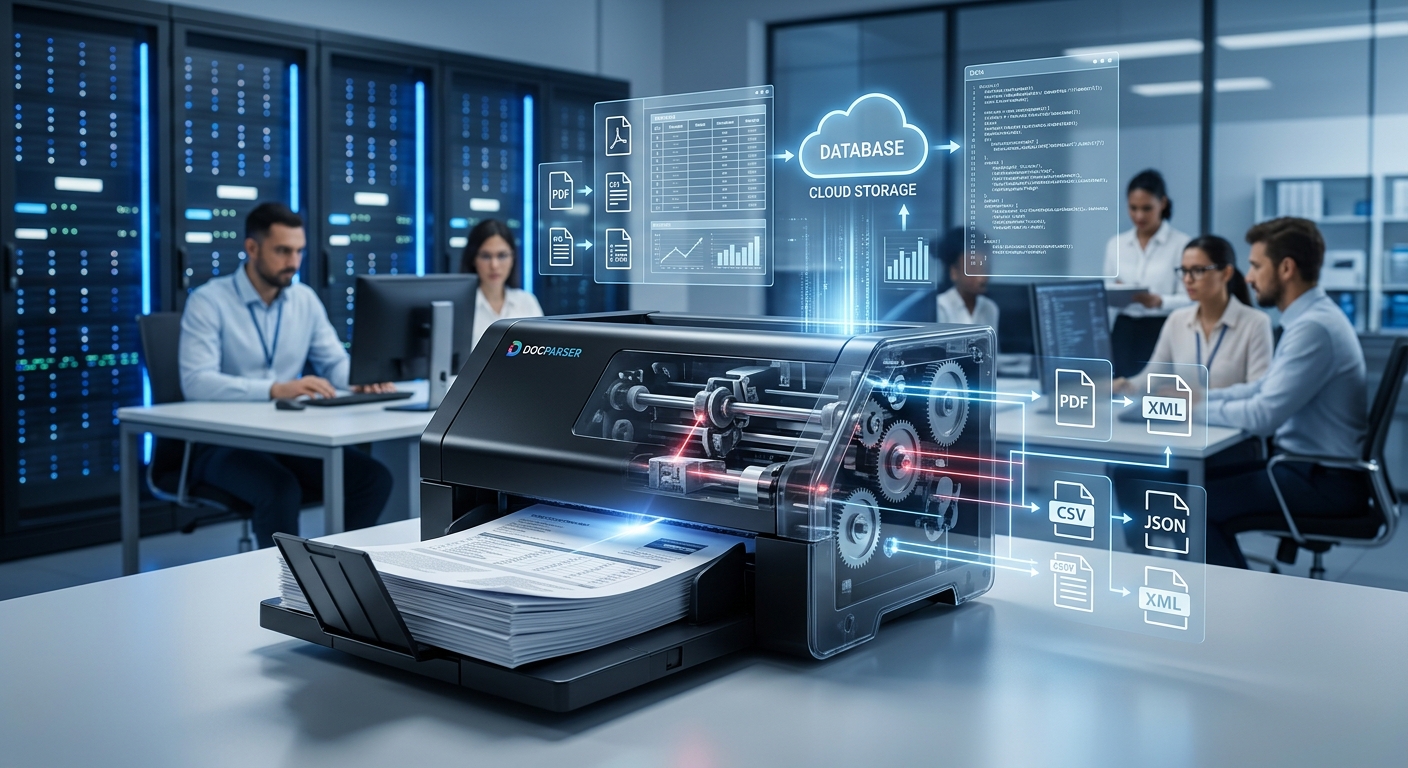
Docparser is a cloud-based document parsing platform designed to convert semi-structured documents like PDFs, Word files, and scanned images into structured data you can send into spreadsheets, databases, and business apps. This review synthesizes user feedback, vendor information, and broader industry context to help you decide if Docparser is the right fit for your document automation needs.
What Docparser Actually Does
At its core, Docparser turns recurring documents into data. Instead of manually retyping information from invoices, purchase orders, forms, or shipping documents, you define rules that tell Docparser what tokens and patterns to extract. The service then processes each new document, pulls out the requested fields, and sends the results downstream.
Typical use cases include:
- Accounts payable teams extracting invoice numbers, dates, line items, and totals
- E‑commerce operations pulling order IDs, SKUs, quantities, and addresses from order confirmations
- Logistics and warehousing teams capturing data from packing slips, delivery notes, and bills of lading
- Back-office staff digitizing standardized forms and contracts
The key value proposition is reducing repetitive data entry and speeding up workflows that depend on PDF or image-based documents.
Core Capabilities: How Docparser Works
While different document parsing tools have overlapping feature sets, Docparser follows a clear workflow that many users find approachable. The process can be summarized in three stages: importing documents, defining parsing rules, and exporting the extracted data.
1. Importing Documents
Docparser supports multiple ingestion methods, which makes it easier to integrate into existing processes:
- Manual upload: Drag-and-drop PDFs and other supported files directly into the web interface for ad hoc parsing or testing.
- Cloud storage connections: Connect to services like Google Drive, Dropbox, Box, or OneDrive and watch designated folders for new files.
- Email ingestion: Forward documents as email attachments to a unique address tied to a specific parser.
- API and webhooks: Use Docparser’s REST API for custom integrations and automated document submission from your own applications.
This flexibility is especially valuable for teams that receive documents through multiple channels and want a single standardized pipeline.
2. Building Parsing Rules
Once you have sample documents in the system, you create a parser and define extraction rules. Docparser uses a template-based approach: you effectively teach it where relevant fields are located on a representative document and how to recognize them in future documents of the same type.
Common parsing techniques include:
- Zonal extraction: Selecting a fixed region on the page when layouts are consistent.
- Anchor-based rules: Using labels or keywords near the target data (for example, the text “Invoice #” or “Total” as anchors).
- Pattern matching: Applying regular expressions for items like invoice numbers, dates, or order IDs.
- Table extraction: Configuring rules to capture rows and columns of line-item data.
The interface is largely point-and-click, but advanced users can tune rules with more complex patterns for improved accuracy.
3. Exporting Parsed Data
After your rules are configured and tested, Docparser generates structured output whenever new documents are processed. Export options typically include:
- File formats: CSV, Excel, JSON, and XML for direct download or batch exports.
- Native integrations: Pushing data to Google Sheets, Salesforce, and other supported platforms.
- Automation platforms: Connecting through Zapier, Make (formerly Integromat), or Microsoft Power Automate to reach hundreds of business apps.
- Webhooks and API: Sending parsed payloads to your own endpoints for custom workflows or database ingestion.
This design allows Docparser to function as a bridge between document-heavy processes and modern data-driven systems.
Key Features Highlighted by Users
User reviews across multiple platforms are generally consistent about which capabilities deliver the most value. The following features are frequently praised:
Template-Based Parsing for Repeatable Documents
Docparser is particularly effective when you process the same document layout repeatedly: invoices from a known vendor, standardized order forms, or recurring shipping documents. Once the rules are configured, many users report that ongoing maintenance is minimal, especially when document designs don’t change frequently.
Support for Scanned PDFs and OCR
For image-based PDFs or photos of documents, Docparser relies on optical character recognition (OCR) to convert images into machine-readable text before applying parsing rules. OCR remains an evolving technology; accuracy can vary with scan quality and layout complexity. Industry research shows that commercial OCR engines can reach high character accuracy under good conditions but can degrade on low-quality scans or complex forms.1
In practical terms, users often see strong results with clean, high-resolution scans, while lower quality inputs may require additional rule tuning and manual review.
Integration with Automation Ecosystems
Another frequently mentioned advantage is how easily Docparser connects to other tools. By integrating with platforms such as Zapier and Power Automate, it can trigger workflows like:
- Creating or updating records in CRM systems (for example, Salesforce) based on incoming orders
- Posting invoice data into accounting software
- Logging shipment details into ERP or inventory systems
- Populating dashboards or spreadsheets for analytics
This approach aligns with broader automation trends in finance and operations, where organizations increasingly rely on low-code tools to bridge legacy processes with modern cloud systems.2
Strengths: Where Docparser Stands Out
Aggregating feedback from business users and publicly available product information reveals several consistent strengths.
1. Clear Focus on Business Document Workflows
Docparser is purpose-built for operational documents rather than generic text analytics. Its parsing presets, examples, and documentation tend to align with finance, logistics, procurement, and back-office contexts. Teams in these areas often find that the product “speaks their language,” reducing the time required to get value compared with more general-purpose tools.
2. No-Code Rule Configuration for Non-Developers
Many organizations lack the engineering resources to build custom parsing pipelines. Docparser’s visual rule builder is designed so that operations staff or analysts can configure and manage parsers without writing code. While there is a learning curve, reviews suggest that non-technical users frequently succeed in owning their own document workflows once they invest time in training.
3. Scalability for Growing Document Volumes
As companies grow, manual data entry becomes a bottleneck. Research on automation in financial operations indicates that automated document processing can significantly reduce processing times and error rates, particularly in invoice handling.3 Docparser’s cloud architecture allows teams to scale parsing volume without provisioning additional infrastructure, which can be valuable for organizations with seasonal or rapidly increasing document loads.
4. Flexible Export and Integration Paths
Because parsed data can be sent to files, spreadsheets, business apps, or custom endpoints, Docparser acts as a neutral hub. This flexibility makes it easier to integrate with existing systems rather than forcing organizations into a specific ecosystem or vendor lock-in.
Limitations and Common Pain Points
No tool is perfect, and user reviews highlight several recurring challenges and trade-offs to consider.
1. Template Dependence and Layout Changes
Docparser’s strength with repeatable layouts can turn into a weakness when document designs change frequently, or when you receive a wide variety of formats from different senders. Each significantly different layout typically requires its own parser and rule set. If vendors frequently update their invoice templates, you may need ongoing maintenance to keep parsing accurate.
2. Learning Curve for Complex Rules
While the interface is designed for non-developers, building robust parsing logic for irregular or complex documents takes time and experimentation. Users sometimes report initial frustration as they iterate through multiple rule versions to achieve reliable accuracy. Organizations that underestimate this setup phase may feel disappointed before recognizing the long-term time savings.
3. OCR Limitations on Low-Quality Scans
DOC and PDF parsing quality depends heavily on input quality. Even though modern OCR technology has improved, skewed scans, low resolution, handwriting, and heavy noise can markedly reduce accuracy.1 In such cases, additional preprocessing (rescanning, cleaning images) or manual validation steps may still be necessary.
4. Not a Full Intelligent Document Processing (IDP) Platform
Docparser provides rule-based parsing with OCR but does not position itself as a full-stack intelligent document processing platform with extensive machine learning-based auto-classification, human-in-the-loop review workflows, or advanced data validation. Enterprises looking for those capabilities may need to combine Docparser with other tools or consider more expansive platforms, often at significantly higher cost and complexity.
Who Docparser Is Best Suited For
Based on typical use patterns, Docparser tends to fit best in organizations with the following characteristics:
- They process a high volume of documents with relatively stable layouts.
- They have clear, repeatable data extraction needs (for example, invoice fields, order details, shipment data).
- They want teams outside IT to configure and maintain parsing rules.
- They rely heavily on cloud tools and automation platforms like Zapier or Power Automate.
Common adopter profiles include:
- Small and mid-sized businesses wanting to automate manual data entry without deploying complex enterprise software.
- Finance and accounting teams handling recurring invoices, statements, and remittances.
- E‑commerce and retail operations receiving standardized order documents from marketplaces or logistics partners.
- Service providers and agencies that manage structured forms at scale on behalf of clients.
Implementation Tips and Best Practices
Organizations that report the most success with Docparser typically approach implementation in a structured way rather than trying to automate everything at once. The following best practices help maximize value.
Start with One High-Impact Document Type
Instead of attempting to parse every document your organization receives, begin with a single, high-volume, high-value document type, such as vendor invoices or purchase orders. This allows your team to:
- Gain familiarity with rule creation and rule testing.
- Demonstrate clear time savings and error reduction.
- Develop internal guidelines for naming conventions, rule organization, and exception handling.
Invest in Good Sample Sets
Gather a diverse sample set of documents for each parser, including edge cases such as unusually long line-item lists, documents with additional notes, or slightly altered layouts. Building rules against this broader set early on reduces surprises once you move into production parsing.
Combine Automation with Human Quality Checks
Best practice in document automation is to include some form of quality assurance, especially in the early stages. A study in the accounting sector notes that automation delivers the most benefit when humans remain involved in judgment-intensive steps and exception handling.3 In practical terms, you can:
- Review a subset of parsed documents on a regular basis to monitor accuracy.
- Flag exceptions for manual review when key fields are missing or fail validation rules.
- Refine parsing rules iteratively based on observed errors.
Plan for Layout Changes
Vendor or partner document designs will inevitably change over time. To handle this gracefully:
- Keep a log of which parsers map to which senders and document versions.
- Design rules that rely on anchors and patterns more than absolute positions when possible.
- Monitor error rates after system updates or known template changes from key partners.
Comparison Snapshot: Docparser vs. Alternative Approaches
The table below summarizes how Docparser compares to other broad approaches organizations might consider.
| Approach | Strengths | Limitations | Best For |
|---|---|---|---|
| Docparser (template-based parser) |
|
| SMBs and teams with standardized operational documents |
| Custom-coded parsing (in-house scripts) |
|
| Organizations with strong internal engineering teams |
| Enterprise IDP platforms |
|
| Large enterprises with complex, multi-format document ecosystems |
| Manual data entry |
|
| Very low volumes or highly irregular documents |
Security and Compliance Considerations
Docparser, like other cloud-based processing tools, must handle potentially sensitive business data securely. Official vendor documentation emphasizes encryption, access controls, and compliance with common standards. When evaluating any such tool, organizations should review:
- Data residency and storage policies: Where documents and parsed data are stored and how long they are retained.
- Transport and at-rest encryption: Use of HTTPS/TLS and disk encryption to protect data in transit and at rest.
- Authentication and access control: Support for strong passwords, multi-factor authentication, and role-based permissions.
- Regulatory alignment: How the vendor supports obligations under frameworks like GDPR for EU residents or other regional privacy regulations.4
Especially for finance, healthcare, or legal workflows, it is worth involving your security and compliance teams early in the evaluation process.
Pricing Context and Total Cost of Ownership
Docparser pricing is typically usage-based, scaling with the number of documents or pages processed and the feature set. While specific price tiers can change, total cost of ownership should consider not only subscription fees but also:
- Time saved by reducing manual data entry and corrections.
- Reduced error rates and fewer downstream issues caused by mis-keyed data.
- Potential to reassign staff from repetitive data entry tasks to higher-value work.
Studies on automation in finance functions show that organizations adopting automation technologies can redirect substantial staff time away from manual processes, often generating a strong return on investment over time.3
Frequently Asked Questions About Docparser
Is Docparser suitable for one-off, highly variable documents?
Docparser is optimized for recurring document layouts. If each document is structurally different (for example, customized contracts), the effort to build rules for each case may outweigh the benefits. In those scenarios, manual review or more advanced AI-based contract analysis tools might be more appropriate.
Can Docparser handle handwritten forms?
Handwriting recognition remains more challenging than printed text for most OCR technologies.1 Docparser’s effectiveness with handwriting will depend heavily on legibility and consistency. For critical data, you should test thoroughly and be prepared for manual review where handwriting is unclear.
How does Docparser compare to generic OCR tools?
Generic OCR tools primarily convert images to text and leave the rest up to you. Docparser combines OCR with rule-based parsing and structured exports, which is more convenient for business workflows. However, if you only need raw text from images, a simple OCR utility might suffice.
What technical skills are required to get started?
Most teams can start with basic computer skills and comfort using web applications. For more complex parsing logic (especially with regular expressions), having someone with technical aptitude or prior experience in data processing can shorten the learning curve.
Can Docparser support regulatory audits?
Docparser can help centralize and structure document data, which can be useful during audits. However, you should confirm with the vendor what logs, retention options, and export capabilities exist, and ensure they align with your industry’s regulatory requirements.
Final Verdict: Is Docparser Right for You?
Docparser occupies a pragmatic middle ground in the document automation landscape. It is more focused and user-friendly than building custom parsing from scratch, yet lighter-weight and more accessible than large-scale intelligent document processing platforms.
You are likely to see strong value from Docparser if:
- Your organization processes significant volumes of structurally similar documents.
- You want to reduce repetitive data entry and speed up finance or operations workflows.
- Non-technical staff need to own and manage parsing rules.
- You already use cloud tools and automation platforms to orchestrate workflows.
By starting with a focused use case, investing in good sample sets and QA processes, and planning for template evolution, you can turn previously manual document work into a scalable, reliable data pipeline. For many small and mid-sized businesses—and for specific departments in larger organizations—Docparser is a compelling option for bridging the gap between documents and data.
References
- Document Image Analysis for Business Applications — U.S. National Institute of Standards and Technology (NIST). 2019-10-01. https://www.nist.gov/publications/document-image-analysis-business-applications
- The Future of Work: A Journey to 2022 — PricewaterhouseCoopers (PwC). 2014-01-01. https://www.pwc.com/gx/en/services/people-organisation/publications/future-of-work.html
- Automation in Finance Functions: Lessons from the Frontline — Association of Chartered Certified Accountants (ACCA). 2020-11-01. https://www.accaglobal.com/gb/en/professional-insights/technology/automation-finance-functions.html
- EU General Data Protection Regulation (GDPR) Overview — European Commission. 2021-07-16. https://commission.europa.eu/law/law-topic/data-protection/eu-data-protection-rules_en
Similar Articles








Read full bio of medha deb