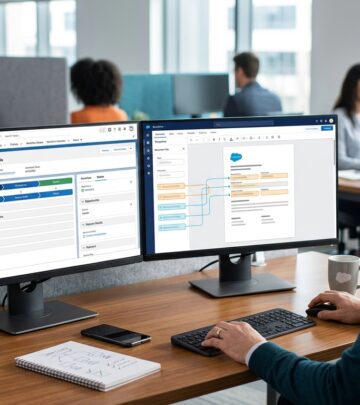
DocSales Review: Smart Document Automation
A practical look at how DocSales streamlines quoting, proposals, and contracts.

DocSales Review: Smart Document Automation for Sales Teams
Sales teams often lose time moving between a CRM, a document editor, an e-sign tool, and a billing system. DocSales is designed to reduce that friction by bringing quote creation, proposal generation, contract sharing, and signing into one workflow. Rather than treating paperwork as a separate back-office task, the platform aims to make documents part of the sales motion itself.
This overview looks at the software from a practical business perspective. Instead of focusing only on a feature list, it explains how DocSales can support faster deal cycles, more consistent sales documents, and smoother handoffs between departments. It also highlights where the product fits best and what buyers should evaluate before adopting it.
What DocSales Is Built to Solve
Most revenue teams want the same outcome: move a prospect from interest to signed agreement with as little delay as possible. The challenge is that many organizations still rely on manual steps to assemble proposals, copy deal details from one system to another, and chase signatures through separate tools. Those extra steps can create version confusion, reduce visibility, and slow down the close.
DocSales is positioned as a document automation and sales enablement platform that helps teams create customer-facing documents directly from sales data. In practice, that means a rep can spend less time formatting files and more time selling. Managers can also benefit from standardized templates, which help maintain brand consistency and reduce errors in pricing or legal language.
- Creates proposal and contract documents more quickly
- Supports electronic signature workflows
- Connects document generation to CRM information
- Helps teams standardize sales collateral
- Reduces back-and-forth during deal closing
How the Workflow Typically Works
The value of a platform like DocSales becomes clearer when you follow a deal from quote to signature. A representative usually starts with customer data already stored in a CRM. From there, the software can help populate proposal fields, pricing sections, and contract terms without requiring manual copy-and-paste work.
Once the document is prepared, it can be reviewed, sent to the buyer, and signed electronically. In organizations that also want to collect payment after agreement, the same flow may support a cleaner transition from signed contract to billing or subscription setup. The result is a more connected handoff across the revenue process.
That end-to-end approach is especially useful for teams that sell recurring services, professional packages, or products with configurable terms. When the document process is embedded inside the sales cycle, the chance of missed steps or duplicate data entry drops significantly.
Core Capabilities Buyers Usually Care About
When evaluating DocSales or a similar platform, most buyers are not just asking whether it can generate a PDF. They want to know whether it can reliably support a complete sales document workflow. The strongest platforms typically bring several related capabilities together.
| Capability | Why It Matters |
|---|---|
| Document generation | Speeds up creation of proposals, quotes, and agreements. |
| Template control | Keeps sales materials consistent across the team. |
| E-signature support | Lets buyers approve documents without printing or scanning. |
| CRM integration | Reduces manual entry by pulling in account and deal data. |
| Payment handoff | Helps move from contract approval to revenue collection faster. |
Some teams may value advanced configurability, while others may care more about ease of use. For a sales rep, the best document tool is often the one that feels nearly invisible during a live opportunity. For operations leaders, the priority may be governance, reporting, and control over which fields or clauses can be edited.
Why Sales Document Automation Matters
Document automation is not just about convenience. It can influence how a business looks to prospects and how reliably it closes deals. When a proposal arrives quickly, contains accurate information, and reflects the customer’s needs, it gives the impression of a well-run organization. That can matter as much as price in competitive sales situations.
There are also internal benefits. Standardization reduces the risk of inconsistent discounts, missing terms, or accidental changes to approved language. In larger teams, document automation helps preserve process quality as headcount grows. Instead of depending on every rep to know the exact formatting and content rules, the organization can centralize those standards in templates and workflows.
Another advantage is speed. Even modest time savings per deal can add up across an entire quarter. If a team handles dozens or hundreds of opportunities, shaving minutes from document preparation can free up substantial selling time.
Integration and Ecosystem Considerations
For many buyers, the most important question is not whether a document tool works in isolation, but whether it fits the rest of the stack. DocSales is described as integrating with widely used CRM and billing tools, which is important because document automation is most valuable when it uses live deal data instead of requiring separate data maintenance.
Typical integration priorities include CRM systems, payment platforms, and other tools involved in sales operations. When these connections are strong, teams can avoid duplicate work and improve the accuracy of the information that reaches customers. That also makes it easier to track where a proposal is in the lifecycle and whether a signature or payment is still pending.
Before committing to any platform, it is smart to test how well integrations handle your actual workflow. A system may connect technically but still require too many manual steps to be practical. The best fit is the one that shortens the process without forcing reps to learn a complicated new routine.
Where DocSales May Fit Best
DocSales is likely to appeal most to organizations that depend on structured sales documents and want to reduce turnaround time. That includes teams that sell through CRM-led processes, businesses that send many customized quotes, and companies that need a straightforward way to move from proposal to signature.
- Small and midsize sales teams that want a lightweight document workflow
- Revenue operations groups that want template control and consistency
- Businesses selling recurring services or contracts with repeatable terms
- Teams that want to connect document generation with CRM records
- Organizations looking to reduce reliance on multiple separate tools
It may be less attractive for very large enterprises that need deeply customized approval chains, highly complex procurement controls, or broad enterprise document governance. Those buyers may want to compare it carefully against larger contract lifecycle management suites. However, for many growing teams, a focused solution can be easier to adopt and maintain.
Strengths That Stand Out
One of the most attractive aspects of DocSales is simplicity. Tools that handle too many overlapping functions can become difficult for sellers to adopt. A system centered on the creation and execution of sales documents can be easier to introduce because it directly aligns with a visible pain point: getting paperwork done faster.
Another strength is the alignment between sales and operations. When templates, signatures, and CRM data live in a connected process, the organization can reduce friction between the people who sell and the people who administer the sale. That can improve the buyer experience as well, since prospects are less likely to receive outdated files or incomplete contracts.
- Streamlined proposal and contract preparation
- Better document consistency across users
- Less rework caused by manual data entry
- Improved speed from quote to signature
- Potentially simpler adoption for sales teams
Things to Evaluate Before Buying
No sales software is perfect for every organization, and DocSales is no exception. Buyers should think beyond the headline feature set and examine how well the tool will work in daily operations. The most important evaluation point is usually workflow fit. If your team has special approval requirements or complex pricing logic, make sure the platform can support those realities without creating workarounds.
It is also worth reviewing ease of administration. Can templates be updated quickly? Can non-technical users make changes confidently? Does the system provide enough control without becoming too rigid? These questions matter because document software is most useful when it stays current with changing offers, legal language, and product packaging.
Another factor is adoption. If the tool is too detached from the CRM or too awkward to use during live selling, reps may revert to old habits. A successful rollout should minimize clicks, reduce duplication, and deliver obvious time savings from the first few deals.
Practical Buying Checklist
Before selecting a document automation platform, it helps to use a simple checklist. This keeps the evaluation grounded in business outcomes rather than feature overload.
- Does it connect cleanly to the CRM your team already uses?
- Can sales leaders standardize templates and pricing rules?
- Is the e-signature flow simple for customers?
- Can the system support payments or post-signing handoffs if needed?
- Will average reps be able to use it without heavy training?
- Does it reduce the number of tools involved in closing a deal?
If the answer to most of those questions is yes, then the platform is likely to create real operational value. If several answers are uncertain, the team may need a deeper demo or pilot before making a final decision.
Frequently Asked Questions
What is DocSales used for?
DocSales is used to automate the creation, sharing, and signing of sales documents such as proposals, quotes, and contracts.
Does DocSales replace a CRM?
No. It is generally used alongside a CRM, pulling in customer and deal information to speed up document preparation.
Can DocSales help with e-signatures?
Yes. One of its core purposes is to support electronic signing so customers can approve documents digitally.
Who benefits most from this type of software?
Sales teams, revenue operations groups, and growing businesses that send frequent quotes or contracts often see the greatest benefit.
Is document automation worth it for smaller teams?
It can be, especially if the team spends significant time building proposals or manually managing contract workflows.
Final Take
DocSales appears to be aimed at teams that want a cleaner, faster path from opportunity to signed agreement. Its value lies in simplifying document creation, improving consistency, and reducing the handoff gaps that often slow sales cycles. For organizations that rely on CRM-driven selling and repeatable document workflows, that combination can be compelling.
The best software choice depends on the team’s complexity, integration needs, and internal process maturity. Still, if your current sales motion involves too many manual steps between quote generation, signature, and payment, a focused document automation tool can deliver meaningful operational gains.
References
- DocSales – Product Page — DocSales. n.d. https://docsales.com/
- DocSales category page — DocSales. n.d. https://docsales.com/category/docsales/
- Proposal and contract automation overview — DocSales. n.d. https://docsales.com/tag/software-sales-models/
- What is a CRM? — Salesforce. 2025-01-01. https://www.salesforce.com/crm/what-is-crm/
- Electronic Signatures in Global and National Commerce Act — U.S. Government Publishing Office. 2000-06-30. https://www.govinfo.gov/content/pkg/PLAW-106publ229/html/PLAW-106publ229.htm
Similar Articles








Read full bio of medha deb